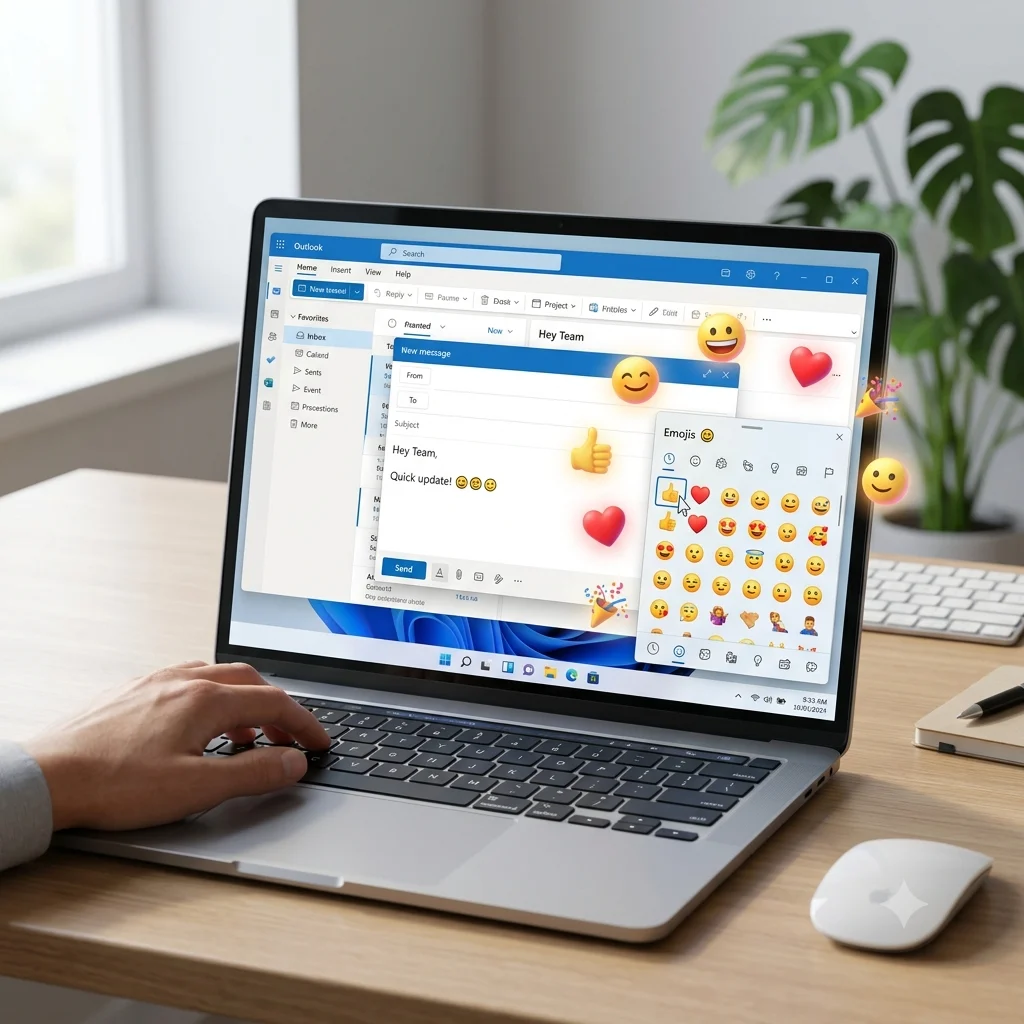
Insert emoji in Outlook by pressing Windows + . (or Windows + ;) on Windows, using Control + Command + Space on Mac, or selecting the emoji icon in Outlook Web and the Outlook mobile app. If emojis aren’t working, check your Outlook version, operating system, and keyboard shortcut settings.
Insert emoji in Outlook by opening the emoji picker with Windows + . (or Windows + ;), using Outlook’s built-in emoji options, or adding emojis from your keyboard on Windows, Mac, Outlook Web, and mobile devices. Emojis make emails more engaging, easier to read, and more expressive, whether you’re sending a professional message, replying to a colleague, or chatting with friends and family.
Ever wondered how to insert emoji in Outlook or why the emoji shortcut isn’t working? You’re not alone. Many Outlook users struggle to find the emoji picker, use the correct keyboard shortcut, or get emojis to display properly across different versions of Outlook. The good news is that adding emojis is quick and easy once you know the right method. Whether you use Outlook on Windows, Mac, the web, or your phone, this guide explains how to insert emoji in Outlook step by step with simple instructions anyone can follow.
You’ll also learn the Outlook emoji shortcut, discover faster ways to add emoji in Outlook, fix common emoji problems, and avoid mistakes that can affect how your emails appear. By the end, you’ll know exactly how to use emojis confidently to create friendlier, clearer, and more engaging Outlook emails.
What do insert emoji in Outlook mean?
When you insert emojis in Outlook, their meaning depends on the conversation and the relationship between the sender and recipient. Here are six commonly used Outlook-friendly emojis.
| Emoji | Core meaning | Misread as | Best used when |
|---|---|---|---|
| 😊 | Friendly happiness | Flirting | Thanking or greeting someone |
| 😄 | Excitement | Overly casual | Celebrating success |
| 🙂 | Politeness | Passive-aggressive | Professional conversations |
| 👍 | Approval | Conversation ended | Confirming a task |
| ❤️ | Appreciation | Romantic interest | Close friends or family |
| 🎉 | Celebration | Too informal | Promotions, birthdays, achievements |
😊 Smiling Face
Meaning: Friendly happiness and kindness.
Example 1: Thanks for your help 😊
Example 2: Have a wonderful day 😊
😄 Grinning Face
Meaning: Excitement and cheerful energy.
Example 1: Great news 😄
Example 2: We did it 😄
🙂 Slightly Smiling Face
Meaning: Calm politeness and warmth.
Example 1: Looking forward to your reply 🙂
Example 2: Happy to help 🙂
👍 Thumbs Up
Meaning: Agreement, approval, or confirmation.
Example 1: Sounds good 👍
Example 2: I’ll handle it 👍
❤️ Red Heart
Meaning: Appreciation, care, and affection.
Example 1: Thank you so much ❤️
Example 2: Wishing you the best ❤️
🎉 Party Popper
Meaning: Celebration and congratulations.
Example 1: Congratulations on your promotion 🎉
Example 2: Happy Birthday 🎉
😊🙂
Meaning: Friendly encouragement.
Example 1: You’ve got this 😊🙂
Example 2: Keep smiling 😊🙂
😄🎉
Meaning: Shared excitement.
Example 1: Amazing achievement 😄🎉
Example 2: Let’s celebrate 😄🎉
😊👍
Meaning: Positive confirmation.
Example 1: Everything is ready 😊👍
Example 2: Thanks for confirming 😊👍
❤️😊
Meaning: Warm appreciation.
Example 1: Appreciate your support ❤️😊
Example 2: Thank you again ❤️😊
How to use insert emoji in Outlook the right way
Outlook emojis work differently depending on where you’re communicating.
For WhatsApp, people often use emojis to express emotions naturally during personal conversations. A quick “Thanks 😊” or “Good night ❤️” feels warm and genuine.
On Instagram, emojis help create visually appealing captions and strengthen personal branding. They make posts feel more inviting without adding extra text.
On TikTok, emojis are commonly used with humor, trends, and playful reactions. Short captions paired with 😊 or 🎉 can make comments more engaging.
Do
- Match emojis with your message.
- Use one or two emojis in professional emails.
- Keep business communication clear and readable.
- Add emojis after your sentence instead of replacing words.
Don’t
- Fill every sentence with emojis.
- Use romantic emojis in formal emails.
- Assume every recipient interprets emojis the same way.
- Mix unrelated emojis together.
Best insert emoji in Outlook combos — copy & paste
Romantic
👉 ❤️😊 — Sweet message to someone special.
👉 😊❤️🙂 — Warm appreciation with affection.
👉 ❤️😄 — Celebrate happy moments together.
Cute
👉 😊🙂 — Friendly greeting.
👉 😄😊 — Cheerful everyday conversation.
👉 😊👍 — Positive encouragement.
Flirty
👉 😊❤️ — Gentle playful compliment.
👉 😄❤️ — Fun and confident message.
👉 🙂😊❤️ — Soft, caring conversation.
Missing someone
👉 ❤️🙂 — Thinking about you.
👉 😊❤️😊 — Sending warm feelings.
👉 🙂❤️ — Quiet emotional support.
Good night
👉 🙂😊 — Peaceful bedtime wish.
👉 ❤️🙂😊 — Caring good night message.
👉 😊❤️👍 — Sleep well and take care.
Trending insert emoji
The same familiar emojis continue appearing across emails, messaging apps, and social media because they’re easy to understand and fit many situations.
| Emoji | Why trending | Who uses it | Platform |
| 😊 | Friendly everyday communication | Students, professionals, families | Outlook, WhatsApp |
| 👍 | Quick confirmation | Office workers, teams | Outlook, Microsoft Teams |
| 🎉 | Celebrating milestones | Content creators, businesses | Instagram, Outlook |
| ❤️ | Showing appreciation | Friends, families, creators | WhatsApp, Instagram |
As digital communication evolves, familiar emojis continue adapting naturally to new styles of online conversations.
FAQ
1. What is the most popular insert emoji in Outlook?
The 😊 emoji is among the most commonly used because it works well in both personal and professional conversations. It feels friendly without being too informal.
2. What does 😊 mean from a girl or boy?
Usually, 😊 shows kindness, friendliness, or genuine happiness. Its exact meaning depends on the conversation and your relationship with the sender.
3. Why do emojis look different on iPhone vs Android?
Each operating system designs emojis in its own style. Although the artwork changes, the intended meaning generally stays the same.
4. Are insert emoji in Outlook used differently in other countries?
Yes. Different cultures may interpret certain emojis differently. Choosing simple, widely recognized emojis helps avoid misunderstandings.
Conclusion
Learning how to insert emoji in Outlook makes emails feel warmer, friendlier, and easier to connect with. A few carefully chosen emojis can strengthen your message without overwhelming it. Use them thoughtfully, keep your communication clear, and let your personality shine naturally.

Elara Quinn is a digital communication writer specializing in emoji meanings, online messaging, and internet culture. She creates clear, accurate, and reader-friendly content that helps readers understand emojis, symbols ,and modern digital communication. Her goal is to make online conversations easier through practical ,easy to follow guides and reliable information. Elara is passionate about creating helpful content that keeps readers informed about the latest digital communication trends.